Embrace Wireless Freedom in Your Car
At a glance, Are you tired of fumbling with cables every time you get into your car, just to use Android Auto? While Android Auto offers incredible convenience for navigation, music, and communication, the need for a physical connection can sometimes detract from the seamless experience.
Table of Contents
- Embrace Wireless Freedom in Your Car
- What is Wireless Android Auto and Why Upgrade?
- How Do Wireless Adapters Work?
- Choosing the Right Adapter
- Installation: A Simple Plug-and-Play Process
- Enjoying the Freedom of Wireless
- Expert Perspective
- Frequently Asked Questions
- Conclusion
- Why does Wireless Android Auto Adapter matter right now?
- What broader change could Wireless Android Auto Adapter signal?
- What should the market watch next around Wireless Android Auto Adapter?
Good news: cutting the cord is simpler than you might think! With a clever little adapter, you can transform your wired Android Auto setup into a completely wireless experience, bringing a new level of freedom and tidiness to your dashboard.
What is Wireless Android Auto and Why Upgrade?
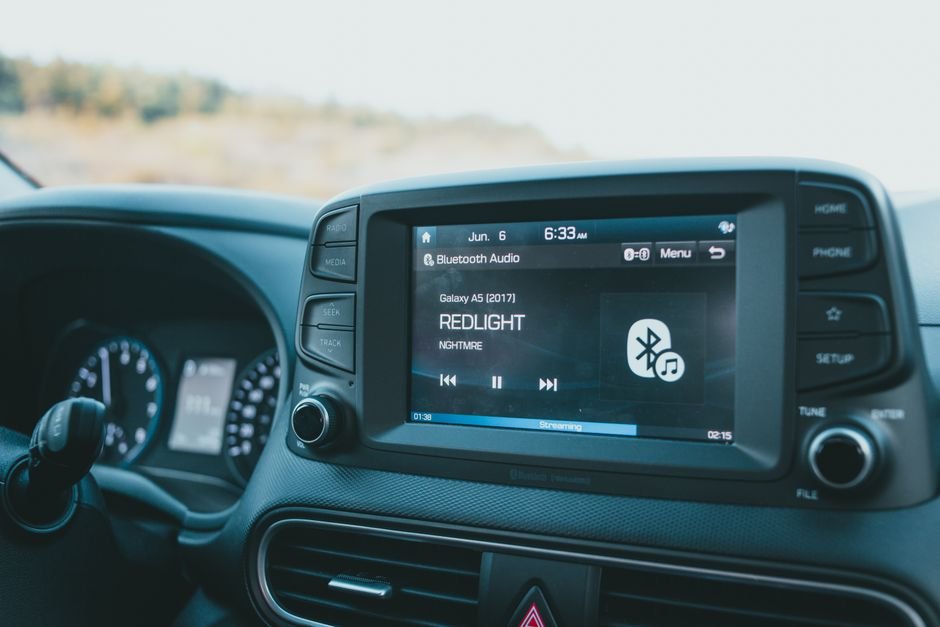
Meanwhile, Wireless Android Auto allows your smartphone to connect to your car’s infotainment system without any physical USB cable. Instead, it uses a combination of Bluetooth and Wi-Fi to establish and maintain the connection. The ‘why’ is clear for many drivers:
- Convenience: No more plugging in and unplugging your phone for every short trip.
- Clutter-Free: Say goodbye to tangled cables cluttering your center console.
- Phone Freedom: Your phone can stay in your pocket, bag, or a wireless charging pad, rather than being tethered to a specific spot.
- Preserve USB Port: Keep your car’s USB port free for other uses, like charging a different device.
How Do Wireless Adapters Work?
These ingenious adapters act as a bridge between your car’s existing wired Android Auto port and your smartphone. Here’s a simplified breakdown:
- Physical Connection: The adapter plugs into your car’s USB port that normally supports wired Android Auto.
- Initial Pairing (Bluetooth): When you first set it up, the adapter uses Bluetooth to discover and pair with your Android smartphone.
- Data Transmission (Wi-Fi): Once paired, the adapter creates a local Wi-Fi network (or uses your car’s if available) to transmit the Android Auto data between your phone and the car’s display. This Wi-Fi connection is crucial for the high bandwidth required for maps, audio, and app interfaces.
In practical terms, Essentially, the adapter tricks your car into thinking your phone is still physically connected, while wirelessly relaying all the necessary information.
Choosing the Right Adapter
While the concept is straightforward, a few factors can influence your choice:
- Compatibility: Ensure the adapter is compatible with your specific car model and Android phone. Most adapters work with Android 11 or newer.
- Performance: Look for adapters known for stable connections and minimal lag. Reviews from other users can be very helpful here.
- Size and Design: Some adapters are compact and discreet, while others might be slightly larger. Consider what fits best in your car’s interior.
- Price: Adapters vary in price, so set a budget.
- Updates: Some manufacturers offer firmware updates to improve performance and compatibility over time.
Installation: A Simple Plug-and-Play Process
For example, Getting started with a wireless Android Auto adapter is remarkably easy. You typically won’t need any special tools or technical expertise:
- Plug it in: Connect the adapter to the USB port in your car that you normally use for wired Android Auto.
- Wait for initialization: The adapter will usually light up or display a message on your car’s screen indicating it’s ready.
- Pair your phone: On your Android phone, enable Bluetooth and search for the adapter. Pair with it as you would any other Bluetooth device.
- Follow on-screen prompts: Your car’s infotainment system or your phone might guide you through a few final steps to establish the wireless Android Auto connection.
- Enjoy!: Once connected, Android Auto should launch wirelessly whenever you start your car (after the initial setup).
Enjoying the Freedom of Wireless
Imagine stepping into your car, starting the engine, and having your navigation pop up instantly, your favorite playlist resuming without a thought, and your phone tucked away safely. That’s the seamless experience a wireless Android Auto adapter provides. It’s a small change that makes a big difference in daily driving convenience, reducing friction and enhancing your time behind the wheel.
Expert Perspective
From an industry angle, the clearest signal around Wireless Android Auto Adapter is how it may influence android. The story reads less like a one-day spike and more like a marker of broader movement.
The next phase will depend on how quickly teams, regulators, or customers react. In practice, that gives Wireless Android Auto Adapter room to reshape expectations across auto over the near term.
For readers focused on practical impact, the best next step is to watch what changes around adapter once attention turns into execution.
Frequently Asked Questions
Why does Wireless Android Auto Adapter matter right now?
Embrace Wireless Freedom in Your CarAt a glance, Are you tired of fumbling with cables every time you get into your car, just to use Android Auto?
What broader change could Wireless Android Auto Adapter signal?
While Android Auto offers incredible convenience for navigation, music, and communication, the need for a physical connection can sometimes detract from the seamless experience.Good news: cutting the cord is simpler than you might think!
What should the market watch next around Wireless Android Auto Adapter?
With a clever little adapter, you can transform your wired Android Auto setup into a completely wireless experience, bringing a new level of freedom and tidiness to your dashboard.What is Wireless Android Auto and Why Upgrade?Meanwhile, Wireless Android Auto allows your smartphone to connect to your car’s infotainment system without any physical USB cable.
Conclusion
What matters next is how the immediate response turns into lasting change. That said, Converting your wired Android Auto setup to wireless is one of the most impactful yet straightforward upgrades you can make to your car’s infotainment system. By investing in a reliable adapter, you unlock a world of convenience, tidiness, and freedom. If you’re ready to ditch the cables and embrace a truly seamless driving experience, a wireless Android Auto adapter is definitely worth considering.
Source: https://www.engadget.com/2213625/converting-android-auto-to-wireless/