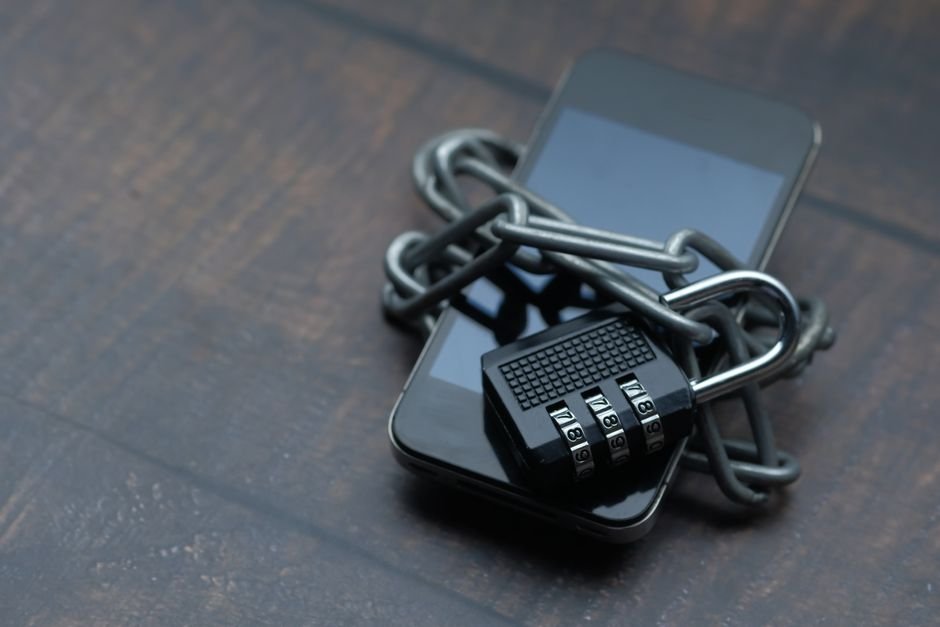
Introduction: Staying Ahead of Phone Thieves
The bigger takeaway is simple: In today’s digital age, our smartphones are repositories of our lives—photos, contacts, financial apps, and personal data. Losing one to theft isn’t just an inconvenience; it can be a significant security breach.
Table of Contents
- Introduction: Staying Ahead of Phone Thieves
- The Foundation: Robust Screen Locks and Biometrics
- Introducing Google’s AI-Powered Theft Detection Lock
- Enhanced Find My Device: Locating Your Phone Offline
- Preventing Critical Settings Tampering on Stolen Devices
- Factory Reset Protection (FRP): Making Stolen Phones Useless
- Proactive Steps for Ultimate Security
- Conclusion: Empowering Yourself Against Theft
- Expert Perspective
- Frequently Asked Questions
- Why does Android theft protection matter right now?
- What broader change could Android theft protection signal?
- What should the market watch next around Android theft protection?
Fortunately, Google has been consistently enhancing Android’s built-in defenses, rolling out sophisticated features designed to deter thieves and protect your valuable information. Understanding and activating these settings is your first line of defense.
The Foundation: Robust Screen Locks and Biometrics
Meanwhile, Before any advanced features kick in, the most basic yet crucial protection is a strong screen lock. Ensure you’re using:
- A Secure PIN or Pattern: Avoid easily guessable combinations like ‘1234’ or ‘0000’. A longer PIN is always better.
- Fingerprint Recognition: Fast, convenient, and highly secure. Register multiple fingers for ease of use.
- Face Unlock: While convenient, ensure it’s set to require open eyes and attention to prevent unlocking with a photo or while you’re asleep.
These layers prevent immediate access to your device, buying you crucial time to activate remote security measures.
Introducing Google’s AI-Powered Theft Detection Lock
In practical terms, One of the most innovative recent additions is the Theft Detection Lock. This intelligent feature leverages artificial intelligence to recognize suspicious movements. If your phone detects a sudden snatch-and-run motion—like someone grabbing it and quickly riding away on a bike or in a car—it will automatically lock the device. This proactive measure prevents thieves from quickly gaining access to an unlocked or recently unlocked phone, significantly reducing their window of opportunity.
Enhanced Find My Device: Locating Your Phone Offline
The venerable Find My Device service has received significant upgrades, making it more powerful than ever:
- Offline Location: For newer devices like the Pixel 8 and 8 Pro, and soon expanding to more Android phones, Find My Device can now locate your phone even when it’s offline or out of battery. This is a game-changer for recovery efforts.
- Remote Lock & Erase: If recovery isn’t possible, you can remotely lock your device to prevent access or, as a last resort, erase all data to protect your privacy.
- Remote Lock with Phone Number: In a pinch, you can now lock your phone simply by using your phone number, adding another layer of accessibility to your security toolkit.
Ensure Find My Device is always active and linked to your primary Google Account.
Preventing Critical Settings Tampering on Stolen Devices
A common tactic for thieves is to quickly disable security features or change account passwords before you can react. Google has introduced a vital new security feature to counteract this:
That said, This setting requires biometric verification (fingerprint or face scan) to change critical settings such as your PIN, disable Find My Device, or access your Google Account on a potentially stolen device.
This means even if a thief manages to get past your initial screen lock, they can’t easily undermine your ability to locate, lock, or erase the device, nor can they lock you out of your Google Account.
Factory Reset Protection (FRP): Making Stolen Phones Useless
Interestingly, Factory Reset Protection (FRP) is a crucial security layer that activates once you’ve signed into a Google Account on your Android device. If a thief attempts to factory reset your phone, FRP will require the previous Google Account credentials to set up the device again.
Without these credentials, the phone remains locked and unusable, effectively turning it into a brick for anyone but the rightful owner. This significantly reduces the resale value of stolen devices, making them less appealing targets.
Proactive Steps for Ultimate Security
While Google’s built-in features are robust, your active participation is key:
- Keep Your Software Updated: Always install the latest Android security patches. These updates often contain fixes for vulnerabilities that thieves might exploit.
- Enable 2-Step Verification: Add an extra layer of security to your Google Account. This ensures that even if someone has your password, they can’t access your account without a second verification step.
- Regularly Back Up Your Data: Even with the best theft protection, sometimes devices are unrecoverable. Regular backups ensure your precious photos, contacts, and documents are safe in the cloud.
- Know Your IMEI: Your International Mobile Equipment Identity (IMEI) is a unique identifier for your phone. Note it down (dial *#06#) as it can be useful for reporting theft to authorities and your carrier.
Conclusion: Empowering Yourself Against Theft
However, Phone theft is an unfortunate reality, but you don’t have to be a helpless victim. By understanding and activating these essential Android security settings—from robust screen locks and the intelligent Theft Detection Lock to enhanced Find My Device and critical settings protection—you can significantly increase your phone’s security posture. Take a few moments today to ensure these defenses are fully armed; it’s the best way to safeguard your digital life.
Expert Perspective
From an industry angle, the clearest signal around Android theft protection is how it may influence phone. The story reads less like a one-day spike and more like a marker of broader movement.
The next phase will depend on how quickly teams, regulators, or customers react. In practice, that gives Android theft protection room to reshape expectations across device over the near term.
For readers focused on practical impact, the best next step is to watch what changes around lock once attention turns into execution.
Frequently Asked Questions
Why does Android theft protection matter right now?
Introduction: Staying Ahead of Phone ThievesThe bigger takeaway is simple: In today’s digital age, our smartphones are repositories of our lives—photos, contacts, financial apps, and personal data.
What broader change could Android theft protection signal?
Losing one to theft isn’t just an inconvenience; it can be a significant security breach.Fortunately, Google has been consistently enhancing Android’s built-in defenses, rolling out sophisticated features designed to deter thieves and protect your valuable information.
What should the market watch next around Android theft protection?
Understanding and activating these settings is your first line of defense.The Foundation: Robust Screen Locks and BiometricsMeanwhile, Before any advanced features kick in, the most basic yet crucial protection is a strong screen lock.
Source: https://www.engadget.com/2236816/turn-on-settings-protect-android-phone-from-theft/